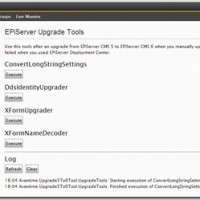
This blog post is based on the experience of upgrading one EPiServer CMS 5 project and creating a new one from scratch based on a release candidate of EPiServer CMS 6 and things may change before the release.

New configuration files

Web.config contained a lot of settings for EPiServer CMS that is now split into several files. Unfortunately another 250 lines of configuration is also added increasing the burden to manage the configuration.

EPiServerFramework.config

This file contains mapping between host header name and site and default language. This information was previously located in configuration/episerver/sites/site/siteHosts-tag.

Notice that the EpiServer framework automatically updates this file with machine specific information which makes it harder to put under version control but EPiServer will work even if the file is read-only (you get some exceptions in the log files and maybe temporary version of the files).

It is needed by all developers, staging and QA so one strategy could be to put it on version control directly or check-in a file with another name or location copy it during the post build event.

episerver.config

This is basically everything previously located in configuration/episerver-tag in web.config. It is connected using the configSource attribute in the same way as connectionStrings.config-file.

It contains the same information as before except that siteHosts-tag is migrated to EPiServerFramework.config-file.

In addition to the paths in configuration/episerver/virtualPath/providers/add-tag another machine specific attribute has been added on the site-tag called licenseFilePath.

This file must be put under version control but if the machine specific licenseFilePath it is present it will be hard to get it to work well.

New configuration

There are new sections in web.config and for episerver.shell and episerver.datastore.

episerver.shell

You need to add you modules here if you want to add your own things to the new menu system or add gadgets to the new Dashboard.

episerver.datastore

Even if you do not use the datastore yourself EPiServer does for XForms and other features that was previously handled by the now deprecated objectstore. You need to make sure that you change the connectionStringName-attribute to match the one your site is using.

Since it is possible to have different values on connectionStringName-attribute on configuration/episerver/sites/site/siteSettings-tag in an Enterprise setup this can be problematic.

Change of configuration does not restart application

Both episerver and episerver.framework configuration section has restartOnExternalChanges attrubute set to false.

This is annoying because you have to remember to manually do a iisreset or change web.config to trigger a restart so your changes take effect.

New Site/License Information feature in Admin Mode

There is a new feature that enables you to upload, activate or request a demo license in admin mode. This feature should not be used by developers since it adds machine specific information episerver.config. If you do and check in the changes your co-developers will get a file that does not work on their computer.

My suggestion is to continue using the manual approach and add the Licence.config-file to the application root folder your self. Remeber that if you want to put your license files under version control it is possible to do that very easily because EPiServer will look for “License.config” first and then “MACHINENAMELicense.config” so just rename your license.config-file and check it in.

Location of EPiServer User Interface is changed during upgrade

Notice that all location and VPP paths for EPiServers User Interface are changed during upgrade. If you path to edit mode was /secret/edit before it will now be /secret/CMS/edit. There is no redirect so bookmarks or hard coded links in your application to edit mode may break.

Language files

Notice that you no longer can translate the whole EPiServer User Interface yourself (or override some translations) by changing xml-files in the lang folder. The new Dashboard feature (aka. Shell, Online Center) is using binary resource assemblies.

Bookmark and Share

Tags: , , , , , , ,

EPiServer CMS is using the standard methods in ASP.NET to handle authentication and authorization. On top of this they have added a few providers to handle authentication and access control to EPiServer assets like pages and files uploaded by editors.

Make sure that you read up on how the authentication, location and authorization-tags works in web.config before you try to understand security in EPiServer CMS.

Check list for ASP.NET security

  • MachineKey – Always add a machinekey-tag to your web.config-file. Use this online tool to generate the MachineKey.
  • Authentication – I almost always use ASP.NET Forms authentication because it gives you the most flexibility. This is all you need and I always set timeout high to get the “Remember Me”-checkbox to work as expected. Sometimes I also use the defaultUrl-attribute to control what happens after login.
    <authentication mode="Forms">
      <forms loginUrl="Util/login.aspx" defaultUrl="/"
        timeout="129600" />
    </authentication>
  • Membership and RoleProvider – Configures how a username and password is validated and how to retrieve what groups a user is a member of.
  • Authorization – EPiServer uses authorization tags together with location tags to control access to physical folders like the EPiServer user interface.

Select Security PROVIDERS

Select the right providers for your site:

  • SqlMembershipProvider and SqlRoleProvider from Microsoft stores username, password and group membership in a SQL database. EPiServer is preconfigured with the needed tables so you can just start using them by changing defaultProvider-attribute.
  • WindowsMembershipProvider and WindowsRoleProvider from EPiServer enabled forms login but with windows credentials. This is the default provider for a new installation. A big limitation if an editor needs to work with Access Control is that Window Users and Groups are only synchronized when a user log on. So it is not possible to add rights to a user before it has logged in at least one time and the security admin tool shows cached data for who is a member of a group.
  • ActiveDirectoryMembershipProvider from Microsoft and ActiveDirectoryRoleProvider from EPiServer. Tries to workaround the problem with cached Users and Groups by talking directly to the Active Directory. I have personally have had a lot of issues with exceptions from the Active Directory providers and trouble to get it to work in a DMZ. They are also sensitive to interruptions if the LDAP server is not available. I recommend to use WindowsMembershipProvider if possible since it also uses the local machine as a cache.
  • MultiplexingMembershipProvider and MultiplexingRoleProvider from EPiServer forwards the requests to a list of providers and this enables you to combine both SQL and Windows accounts.

TIPS – IF you Can not login with your Windows Account

EPiServer WindowsMembershipProvider does not work if you try to login with a domain account but do your machine does not have a working connection to your Domain Controler.

Workaround by creating a local account that is a member of the local administrators group.

Tips – Use a local group to optimize and handle Groups in groups

EPiServer WindowsRoleProvider uses queries that only retrieve a list of groups you are a member of directly. It does not discover if you indirectly are a member of group through another group.

This is quite annoying and and AD-admin get something sad in their eyes if you suggest that you should not use groups in groups.

Workaround this by creating a local group on the web server and add the AD group that is using groups in groups. WindowsRoleProvider will see that you are a direct member of the local group.

This technique can also be useful if a lot of different AD-groups should have the same access in EPiServer. The reason is that EPiServer stores one row in a table for each access control entry for each EPiServer page and directory in VPP.

It could simplify your web.config if you do not have to maintain a long list group names for edit and admin mode access. (EPiServer 6 has a new feature that takes care of this.)

Break in to an EPiServer site

Forgot the password? Only got ftp-access? Do not worry, as long as you have the right to change web.config you can always break in!

You need to comment out all “<deny users="*" />” in web.config and then it is possible to access edit and admin mode without authentication.

I suggest that you reset your password or create a new account in admin mode and turn on security as fast as possible!

Notice that you must login to be able to edit pages.

Access Rights for pages and uploaded files

image EPiServer has the following Access Rights that can be set per page. You can also set access right for files in the File Manager.

  • Read – Let’s you see the page or download the file.
  • Create – Allows you to create child pages that will inherit the same ACL as the parent, upload new files or create directories.
  • Change – Allows you to save a new version of a page and mark it ready to publish. You can also check in a new version of an existing files.
  • Delete – Allows you to move a page to the wastebasket or delete it permanently. You can delete files and directories.
  • Publish – Allows you to change and publish pages. Not applicable on files.
  • Administer – Allows you to change the ACL for this page or directory as an editor and change dynamic properties on this page (and indirectly all children)

Users with access to admin mode can always change access control lists and do not need Administer right.

imageNotice that you can only set Access Rights per directory and not on individual files.

Page Files are special. Each page can have its own page folder and files uploaded to this directory have the same availability as the page. So if the page is not publish – no one can access the files in the page folder except editors. Very convenient since scheduled publishing also affects the files!

The same happens when the page is moved to the waste basket. No one can access the files in the page folder than editors. This is a common cause for broken images and links to document when editors copy and paste pages. If you delete the original page, no one can access the images its page folder!

Tips for Access Right configuration

If you follow these guidelines it will be much easier to administer access.

  • Avoid giving users access rights directly. Always add roles (groups) and make users members of these instead.
  • Never give WebEditors group any access rights (except on small sites where you are not going to use Access Rights at all). This roles is intended as a master switch if you have access to edit mode or not.
  • Give the virtual role “Creator” the right to change and delete pages if you setup a site with writers and an editors-in-chief that publish pages. It will save a lot of maintenance work when writers makes mistakes.
  • Using role names with both location and role will simplify when you administer who is a member of what, i.e. pressrelease_writer, pressrelease_publisher, startpage_editor, article_writer, blog_admin
Bookmark and Share

Tags: ,

UPDATED: Code improved after feedback from Henrik Tengelin.

It is much easier to read large numbers with with thousands separator but how to get them to work with page validation in a good way?

The solution in this case was to sprinkle some jQuery on the page!

Test how it works here

JavaScript code for adding thousands separator as watermark

$(function() {
    var numberInputs = $("input.number");
    var convertToCurrencyDisplayFormat = function(str) {
        var regex = /(-?[0-9]+)([0-9]{3})/;
        str += '';
        while (regex.test(str)) {
            str = str.replace(regex, '$1 $2');
        }
        str += ' kr';
        return str;
    };
    var stripNonNumeric = function(str) {
        str += '';
        str = str.replace(/[^0-9]/g, '');
        return str;
    };
    numberInputs.each(function() {
        this.value = convertToCurrencyDisplayFormat(this.value);
    });
    numberInputs.blur(function() {
        this.value = convertToCurrencyDisplayFormat(this.value);
    });
    numberInputs.focus(function() {
        this.value = stripNonNumeric(this.value);
    });
    $("form").submit(function() {
        numberInputs.each(function() {
            this.value = stripNonNumeric(this.value);
        });
    });
});

Bookmark and Share

Tags: , , , ,

It is annoying when a trial expires before you had time testing the software. Sometimes it is just enough to reinstall to get a new trial period but usually they hide the information so it is persistent.

I used Sysinternal’s Process Monitor to find out what resources the license manager (PsiService_2.exe) used and cleared them away to get a new fresh trial period.

If you have licensed products using this service you should be careful and keep backups of all values/files.

These instructions are valid for Windows 7 64-bit but just remove “Wow6432Node” for 32 bit systems:

  • Stop “Protexis Licensing V2”-service and the application you are evaluating.
  • Clear registry:
    • HKEY_USERS\.DEFAULT\Software\Protexis\Licenses
    • HKEY_LOCAL_MACHINE\SOFTWARE\Wow6432Node\Protexis\Licenses
  • Delete files:
    • C:\ProgramData\KGyGaAvL.sys
    • C:\ProgramData\88AD984CE6.sys (filename varies)
  • Start service
  • Start the application
Bookmark and Share

Tags: , ,

You get a warning when you try to delete a file or EPiServer page if it is referenced form another page.

EPiServer uses EPiServer.DataAbstraction.SoftLink for this feature and all links to files, other EPiServer pages and external urls are stored here every time you publish a page.

It is also worth to notice that EPiServer built-in keyword table that is used for text searching pages also is updated during publish.

Corrupt data = Broken Links

The index can be corrupt or out of sync and then it is possible to delete a file or a page without getting a warning that it has incoming links. Text search can also fail or return wrong data.

I have seen this very often after a migration from EPiServer CMS 4. EPiServer CMS 4 databases tends to have really poor data for soft links.

The index is updated when you publish a page with a delay controled by indexingDelayAfterPublish setting. If the delay it is very large and the application restarts before the page is indexed, neither soft links or keywords will be updated.

How to repair EPiServer CMS soft link and keyword index

I have created an admin tool that we always run after migration from EPiServer 4 and also if we want to repair the index if the settings has been strange.

You sould set indexingDelayAfterPublish to a very large delay during the time you run the tool because if you try to use LaxyIndexer.IndexPage() in more than one thread at the same time you are guaranteed to get deadlocks or get other strange SQL exceptions sooner or later.

System.Data.SqlClient.SqlException:Violation of PRIMARY KEY constraint ‘PK_tblPageKeyword’. Cannot insert duplicate key in object ‘dbo.tblPageKeyword’.

Example code

[GuiPlugIn(DisplayName = "Reindex pages", Description = "Tool to index keywords and soft links", Area = PlugInArea.AdminMenu, Url = "~/Common/FixIndexing.aspx")]
public partial class FixIndexing : System.Web.UI.Page
{
    private static readonly ILog log;
    private static long QueueLength;
    private static long IndexedPages;
    private static DateTime Started = DateTime.MinValue;
    private static readonly Queue<PageData> Queue = new Queue<PageData>();
    private static object LockRoot = new object();

    static FixIndexing()
    {
        log = LogManager.GetLogger(typeof(FixIndexing));
    }

    protected override void OnLoad(EventArgs e)
    {
        base.OnLoad(e);
        UpdateStatus();
    }

    private void UpdateStatus()
    {
        long q = Interlocked.Read(ref QueueLength);
        long n = Interlocked.Read(ref IndexedPages);
        if (Started != DateTime.MinValue)
        {
            StatusLabel.Text = string.Format("Started: {0}  Indexed pages: {1}  Queue: {2}", Started, n, q);
        }
        FixPageSoftLinkButton.Enabled = q <= 0;
    }

    protected void FixPageSoftLinkButton_Click(object sender, EventArgs e)
    {
        log.Info("Start LazyIndex of all pages!");
        Started = DateTime.Now;
        ThreadPool.QueueUserWorkItem(ThreadProc);
        UpdateStatus();
    }

    // This thread procedure performs the task.
    static void ThreadProc(Object stateInfo)
    {
        if (!Monitor.TryEnter(LockRoot)) return; //Job was already running
        try
        {
            IndexedPages = 0;
            PageData page;
            Queue.Enqueue(DataFactory.Instance.GetPage(PageReference.RootPage, LanguageSelector.MasterLanguage()));
            Interlocked.Increment(ref QueueLength);
            while ((page = Queue.Dequeue()) != null)
            {
                Interlocked.Decrement(ref QueueLength);
                try
                {
                    log.Debug(string.Format("Indexing page {0}:{1}...", page.PageLink.ID, page.PageName));
                    LazyIndexer.IndexPage(page.PageLink.ID);
                    Interlocked.Increment(ref IndexedPages);
                }
                catch (Exception ex)
                {
                    int id = (stateInfo as PageData) != null ? ((PageData)stateInfo).PageLink.ID : -1;
                    log.Error(string.Format("Error while indexing {0}", id), ex);
                }
                try
                {
                    PageDataCollection pages = DataFactory.Instance.GetChildren(page.PageLink, LanguageSelector.MasterLanguage());
                    log.Debug(string.Format("Done indexing page {0}. Adding {1} children to Queue...", page.PageLink.ID, pages.Count));
                    foreach (PageData data in pages)
                    {
                        Queue.Enqueue(data);
                        Interlocked.Increment(ref QueueLength);
                    }
                }
                catch (Exception ex)
                {
                    int id = (stateInfo as PageData) != null ? ((PageData)stateInfo).PageLink.ID : -1;
                    log.Error(string.Format("Error while adding children for {0}", id), ex);
                }

            }
        }
        finally
        {
            Monitor.Exit(LockRoot);
        }

    }

}

Index as Scheduled task

Another way to use the code above is to just add an Execute() method that calls ThreadProc and register it as a Scheduled Job plug-in.

Bookmark and Share

Tags: , ,

« Older entries